
Skip to content

For cafés and restaurants

Your floor, your till and your kitchen, connected.

Follow every table, send orders to the kitchen and get bills ready from one screen, on the tablet you already have.

A 12-minute demo, with your own menu in mind.

Rather try it on your own? Start the free trial

  • 7-day free trial
  • No card to start
  • Cancel anytime
  • Import your menu from a photo

Café Jasmin

Floor plan, demo

Live

Click a table to explore

Table 4

2 guests

Order in progress
  • Grilled pepper salad TND 6.000
  • Lamb couscous Extra egg+TND 1.000TND 23.000
  • Grilled fish of the day Peanut allergyTND 30.000

TotalTND 60.000

  • Free
  • Seated
  • In the kitchen
  • Served
  • Bill asked

How a service runs

From the table to the bill, nothing typed twice.

Each step feeds the next: what the waiter enters reaches the kitchen, what leaves the kitchen shows on the floor plan, and the bill is already there.

  1. Seat your guests

    The floor plan shows free and busy tables and the number of covers. One tap seats a party.

  2. Take the order

    Dishes, options and notes at the table. An allergy is flagged and follows the dish to the kitchen.

  3. Coordinate the kitchen

    The ticket lands on the screen, sorted by course: starters first, then mains when the floor calls them.

  4. Prepare the bill

    The bill is up to date. Split it, take cash or card, and the table is free again.

A real recording

One full service at Café Jasmin

Not a mock-up: the app itself, with the floor, the till and the kitchen updating live.

  1. Two guests seated at table one
  2. A salad, a lamb couscous and a grilled fish with an allergy note
  3. Starters sent, then the mains called away
  4. Bill paid, table cleared

What you gain

Fewer trips, fewer slips, bills that add up.

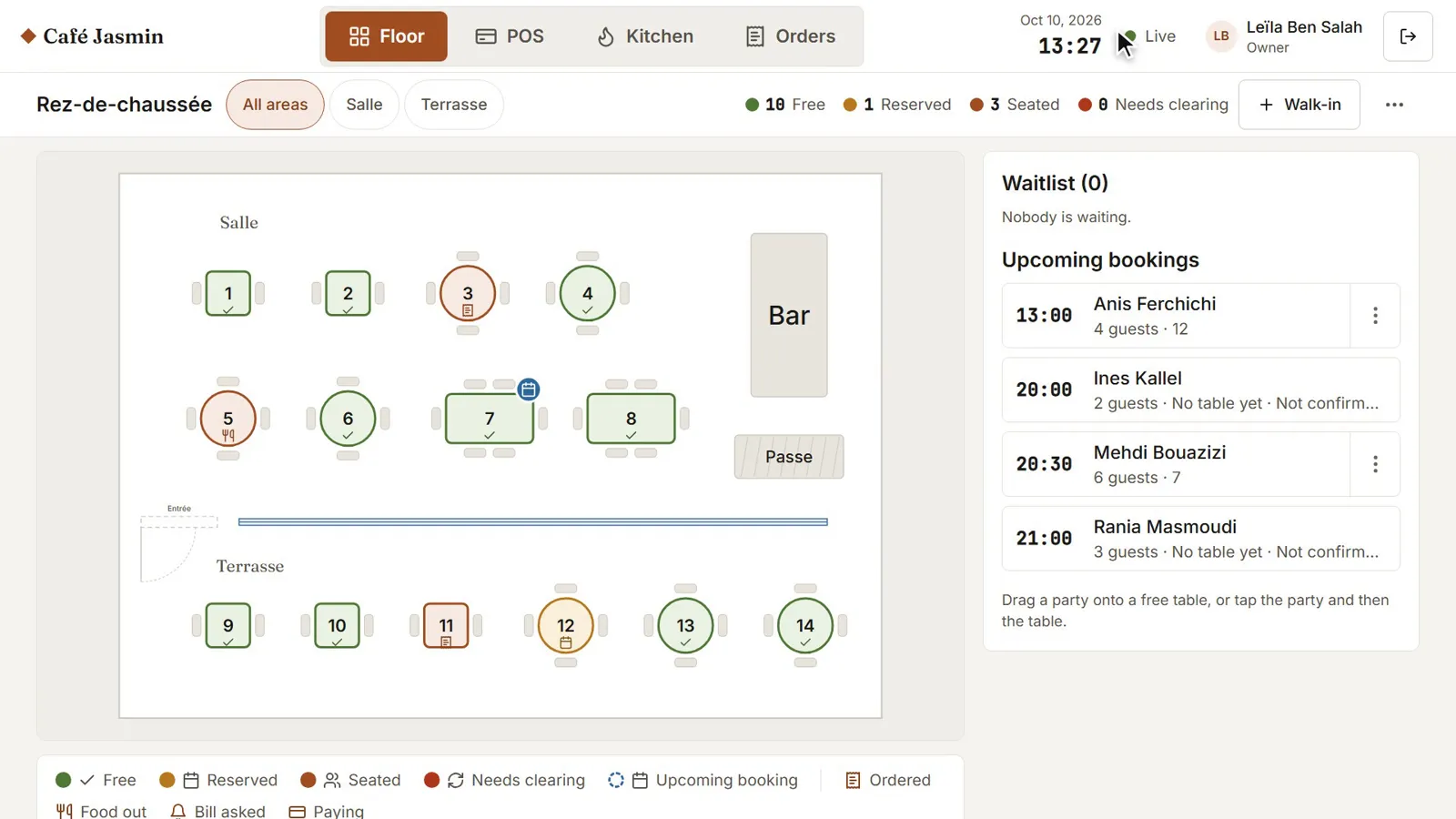
The live floor of Café Jasmin: tables in their states, the waiting list and the bookings to come

See the whole room

Who is waiting, who is eating, who wants to pay: the floor plan shows it to the whole team, on every device.
  • The status of every table, live
  • Covers at each table
  • Several areas, such as the room and the terrace
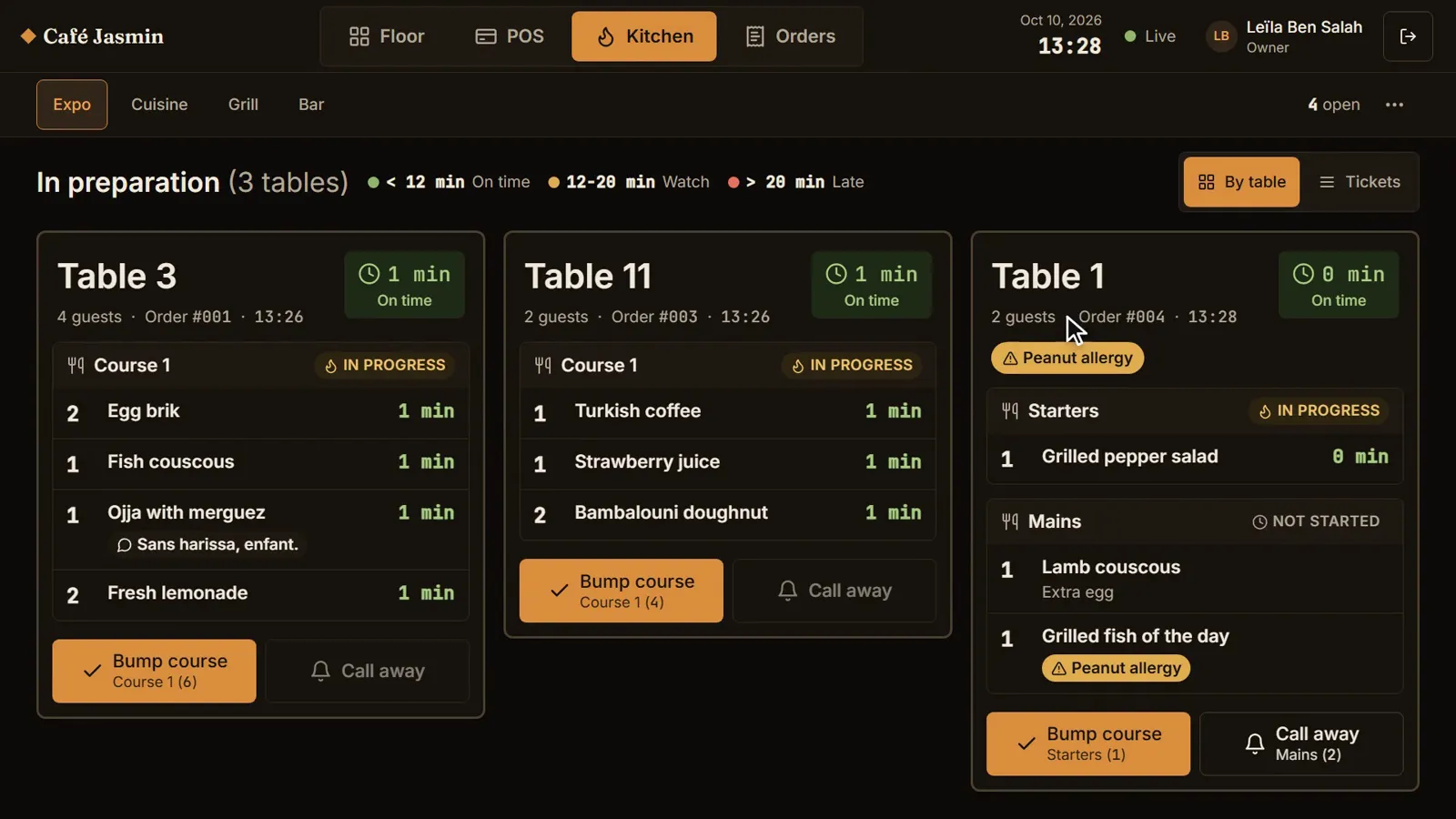
The kitchen pass: each table’s courses, with a peanut allergy flagged

A kitchen that keeps up

Orders arrive legible and in order, with notes and allergies in plain sight.
  • A kitchen screen or a printed ticket
  • Starters and mains sent at the right time
  • Allergies flagged on the ticket
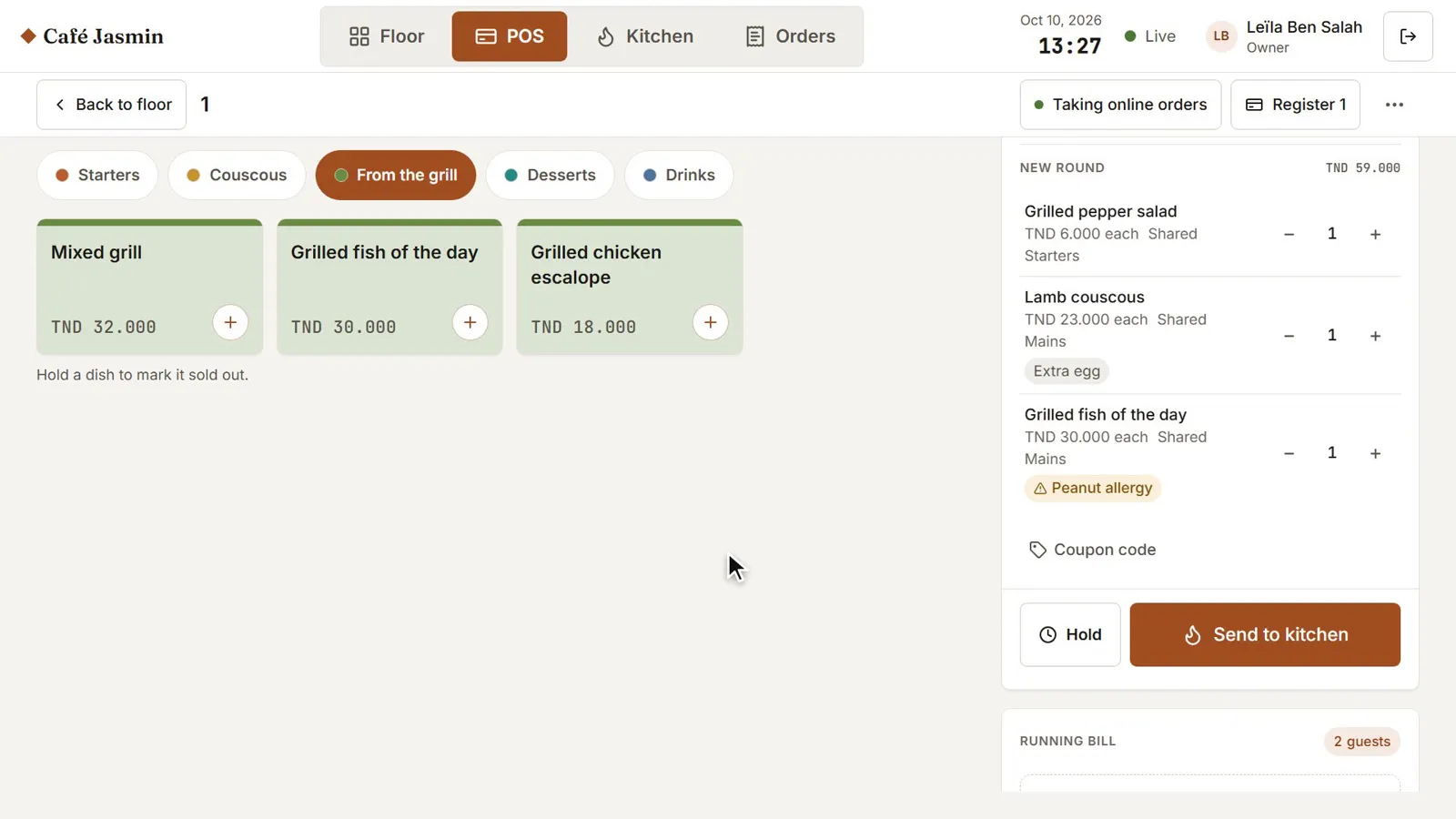
The till with a new round: a salad, a lamb couscous with an extra egg and a fish with an allergy note

Bills that are ready

What was ordered is what is billed. No more items forgotten on the notepad or sums at the end of service.

  • Split the bill
  • Cash, card or pay at the table
  • The day’s figures when you close

Getting started

Ready for your next service.

No hardware to buy: BookNDish runs in the browser of a tablet, a phone or a computer.

  1. Step 1

    Your menu

    Import it from a spreadsheet or a photo, or type it in. Photos, options and allergens included.

  2. Step 2

    Your tables

    Draw the room and the terrace as they really are.

  3. Step 3

    Your team

    Each person has their own PIN and sees what they need.

  4. Step 4

    A test order together

    We place an order with you, from the table to the bill, before your first service.

Pricing

Start with what your service needs.

One plan for the menu and online ordering, or a full plan with the till and the kitchen.

Menu & online ordering

  • Starter$9per branch, per monthYour menu online, QR and online ordering, and guests paying at the table.

Floor, till & kitchen

  • Essential$19per branch, per monthThe till, the kitchen screen, pay at the table and the numbers, for one room.
  • RecommendedGrowth$29per branch, per monthFill tables and bring guests back: reservations, loyalty, stock and delivery.
  • Pro$39per branch, per monthEvery module, plus several branches, room service for hotels and the AI tools.
A free trial
Seven days on any plan, with no card to start.
Hardware not included
Use your own tablets and phones. A ticket printer is optional.
Card payments
The payment provider’s fees come on top.

Compare plans in detail

Practical questions

Before you start.

Let’s look at your service together.

On your menu and your room. You leave knowing whether BookNDish suits you.

What happens next

  1. You leave the name of your venue and a way to reach you.
  2. We get back to you to find a time.
  3. We show you a full service, with your menu.
Book a demo

Founding pilot

For our first restaurants: a 14-day assisted pilot.

  • One branch
  • Your menu imported, together with you
  • One setup session
  • One training session for your staff
  • A 14-day assisted pilot from your first live service
  • Support by phone and WhatsApp, Monday to Saturday, ⁨09:00-19:00⁩ (Tunis time)

The plan you choose, at its published monthly price. No annual commitment during the pilot.