QR ordering
The menu is already at the table
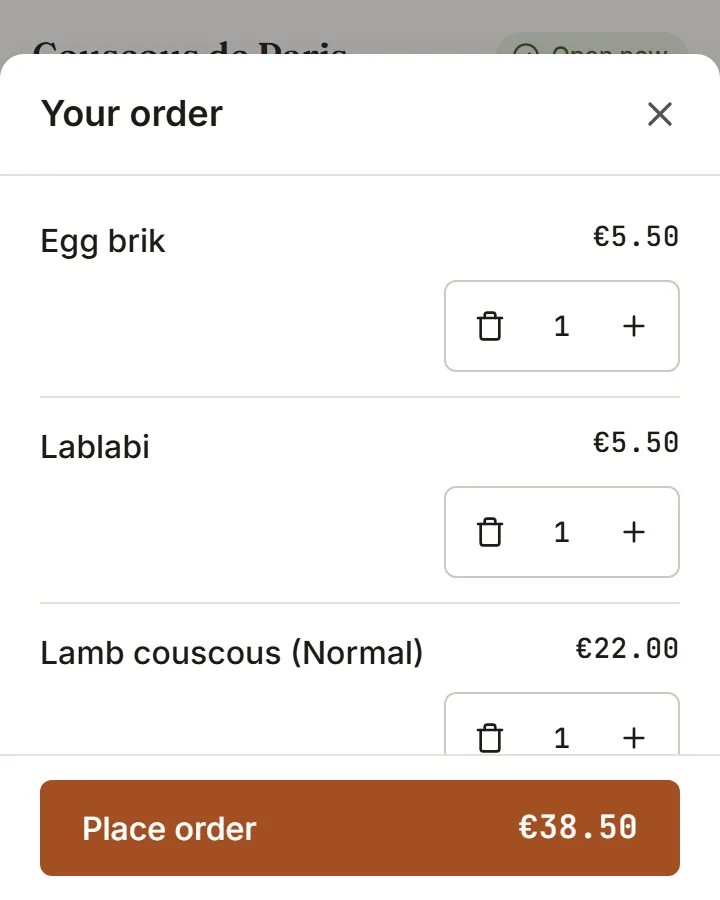
One QR code per table. Guests browse in their language, order in rounds, call a waiter or ask for the bill, without an app and without waving.
Included inEvery plan
- 01
A menu from a photo
Photograph your printed menu and the items, prices and categories are read into the system. Fix what needs fixing and publish.
Included inEssentialGrowthPro
- 02
Dine-in, pickup and delivery
The same menu serves a table code, a takeaway counter and a delivery address, with the delivery zone and minimum checked before the order lands.
Included inGrowthPro
- 03
Call waiter, request bill
Two taps on the guest side, one request on the POS floor. Requests are rate-limited so a table cannot flood the pass.
How to start
What you do in the back office to switch it on.
- Add your tables and their seats.
- Print the QR code for each table.
- Finish the setup checklist and open the restaurant.
Good for
Works with
Try it on your own menu
7-day free trial on every plan. No card. Cancel anytime.